Drums+.
A drummer with one fader.
Grooves that feel played, not programmed. One fader builds the beat up and strips it back down, so you can arrange a whole track live without drawing a single note.
Energy
One fader from silence to peak. Every hit has its place in the order, so the groove grows the way a drummer would play it: kick and hats first, ghosts and percussion last.
Learned, not random
Grooves and variations come from a model of real drum patterns. Move sets how much changes from bar to bar, Feel adds the micro-timing of the originals or exaggerates it.
Four characters
Straight, Offbeat, Broken and Half: four families of grooves. New picks a fresh one on the next bar, Back takes you back.
Fill, Break, Build
Three transitions over a bar count you choose: a fill into the next part, a break that strips the groove to its core, a build that grows back up.
Every lane its own
Click a lane name for More: note, energy, velocity, dynamics, shift and length. Odd lengths run against the bar and the playhead shows it. All of it automatable.
Edit and keep it
The editor window shows the whole groove for clicking in hits. → Clip writes the next bars as a MIDI clip. Drums+ Receive plays a lane on another track, for its own effects or sidechain.
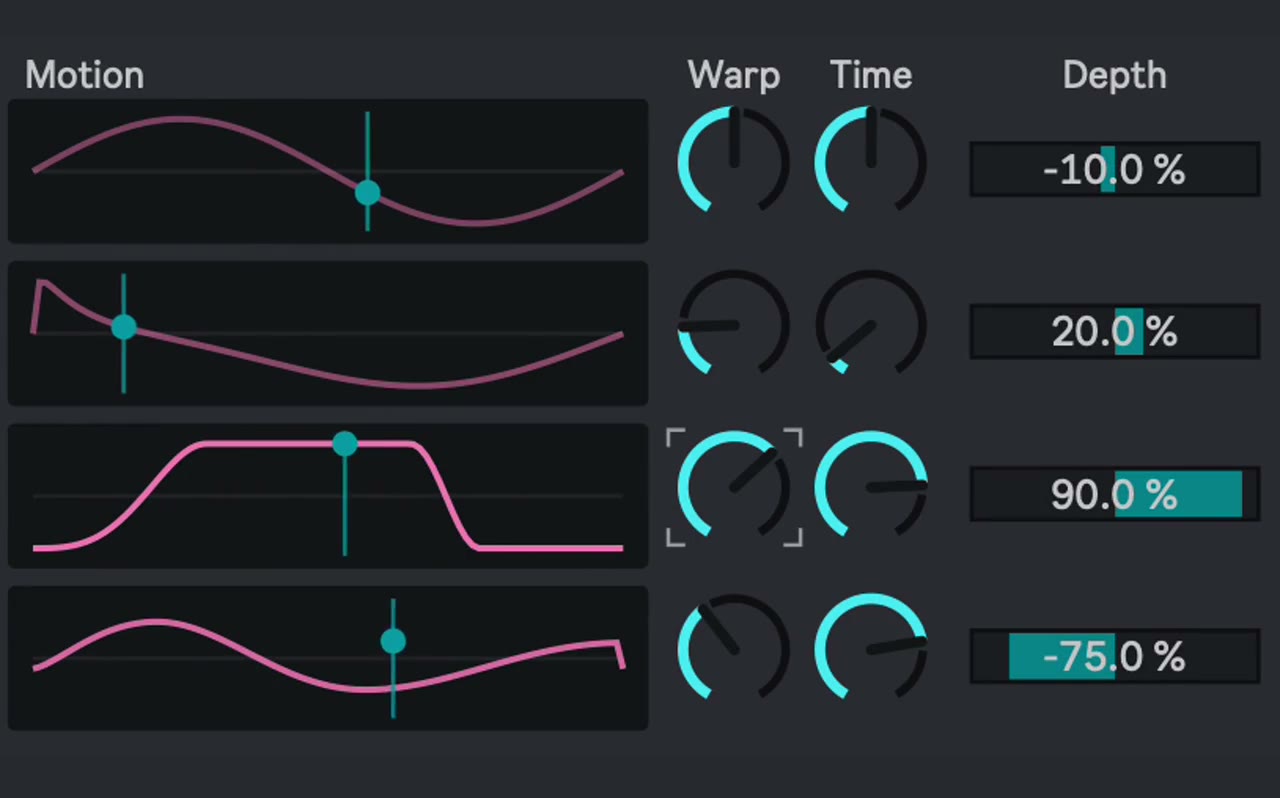
Get Motion for free.
Four slow modulators that never repeat. Map them to anything in your set and let the track breathe. Texture and Shapes for every DAW come with it.
We email you a download link. When you click it, you agree that we keep you posted about Thoow tools: a few emails a year, unsubscribe anytime.
Build it up. Strip it down.
Your Drum Rack. Your sound.Turn it up.
One fader decides how much is happening: the core first, details last. Turn it back and the same groove returns.
Shape every drum.
Eight lanes with their own note, energy, velocity, timing and length. Give the hats 12 steps and let them drift.
Move the track.
New, Fill, Break and Build on the next bar. Back returns to the groove you just had.
Play it from the pads.
Push 3Switch on Push Takeover and the pads belong to Drums+ while its track is selected. PLAY: mute and lock lanes, ride Energy over sixteen pads, pick Character, Move and Feel, fire Fill, Break, Build and New. GRID: the running half bar of all eight lanes, tap to add a hit or clear one. How the pads work ↗


Stay in the groove.
Ride the Energy fader, drop a break, build into the next part. Map it to your controller or let Thoow Motion move it.
Explore the controls ↗Questions.
What do I need?
Ableton Live 12 with Max for Live: Live 12 Suite, or Live 12 Standard with the Max for Live add-on. Mac and Windows.
How do I set it up?
Drag Thoow Drums+ onto a MIDI track in front of a Drum Rack. Any of Live's kits works, 909 Core Kit is a good start. Press play: a groove starts right away and follows the tempo of your set.
Which drum sounds work?
Any Drum Rack. Drums+ plays the standard notes from C1 up (kick, rumble, clap, rim, hats, percussion, ride), and you can change each lane's note under More.
Can I keep the MIDI?
Yes. → Clip writes the next 4, 8 or 16 bars as a MIDI clip into the selected clip slot. Or record the track like any other MIDI part.
Can I process the kick on its own?
Yes. Put Thoow Drums+ Receive on another track with a Drum Rack and choose the lane: the kick then plays there, for its own compressor or as a sidechain source.
Can I automate everything?
Yes. Energy, Character, Move, Feel and every lane control are Live parameters: automate them, map them to a controller, an LFO or Thoow Motion.
Does it work with Push?
Yes. On Push 2 and Push 3 the knobs control Drums+ in five banks. Turn on Push Takeover and the pads play it as well: lanes, locks, Energy and the transitions on one page, a step grid of the running half bar on the other.
Ready to play the drums with one fader?
Get Drums+ · €27Thoow Drums+, our own engine. Part of the training grooves come from the open DrumBrain model by Michael Ganss (MIT licence). Two devices: Drums+ and Receive. Recorded with different Drum Racks in Ableton Live. Drums+ generates MIDI; the sound comes from your Drum Rack. Our order process is conducted by our online reseller Paddle.com, the Merchant of Record for all our orders. Terms and refunds.